
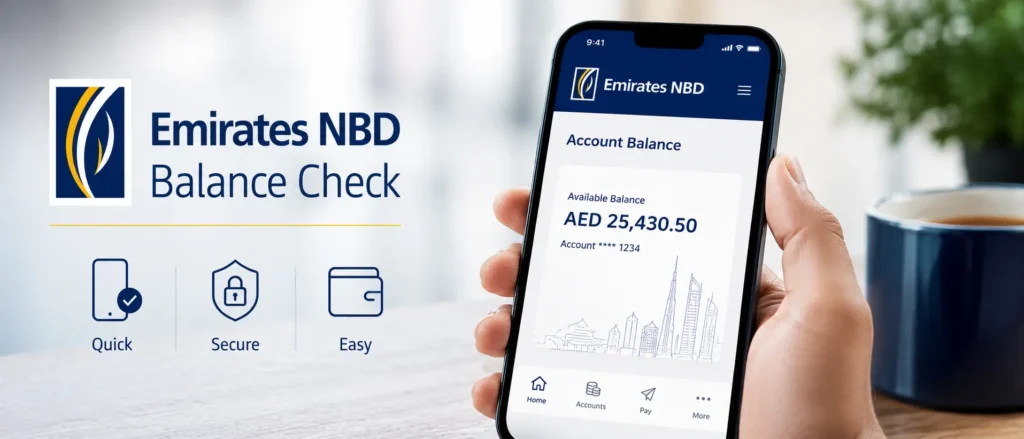
Banking in the UAE has changed dramatically over the past decade. What once required a visit to a physical branch, a long queue, and a teller who may or may not have been having a good day — now takes less than ten seconds from your phone. Emirates NBD, one of the oldest and most trusted financial institutions in the country, has built a genuinely impressive set of tools that give customers complete control over their accounts at any hour.
But despite all that digital progress, a surprising number of people still search for simple answers to a simple question: how do I check my Emirates NBD balance right now? The answer depends on where you are, what device you have, and how comfortable you are with each channel. This guide covers every single method available, explains which ones work best in specific situations, and gives you the exact steps without any fluff.
Quick Overview: All Emirates NBD Balance Check Methods at a Glance
| Method | Speed | Internet Required | Best For |
| Mobile App (ENBD X) | Instant | Yes | Everyday quick checks |
| Internet Banking | Instant | Yes | Detailed statements, desktop users |
| ATM Balance Inquiry | Under 1 min | No | No smartphone or away from home |
| SMS Banking (4422) | Under 2 min | No | Feature phone users, no data |
| WhatsApp Banking | Instant | Yes (data) | Chat-based convenience |
| Phone Banking (600 54 0000) | 2-5 min | No | Seniors, complex queries |
| Branch Visit | 10-20 min | No | Account issues, first-time setup |
1. Emirates NBD Balance Check Through the Mobile App (ENBD X)
The ENBD X app is the fastest and most feature-rich way to manage your account. Available on both iOS and Android, it brings your entire banking relationship into one place. Most UAE residents who have a smartphone already have this app — and if you do not, it takes about three minutes to download and set up.
Once you are logged in, your account balance appears right on the home screen without needing to tap through any menus. The app displays available balance and ledger balance side by side, which helps you understand the difference between funds you can spend today and what the formal record shows before pending transactions settle.
Steps to Check Balance on ENBD X App
- Open the ENBD X app on your phone.
- Log in using your User ID and password, or use Face ID / fingerprint if biometric access is enabled.
- Your accounts appear on the home dashboard with balances visible immediately.
- Tap on any account to see the full transaction history, available balance, and ledger balance.
- Use the Statements section to download or view PDF statements going back up to 12 months.
The Quick Balance feature — available in the app settings — lets you peek at your balance without logging in fully. This is a widget-style overlay that shows balance after a simple PIN or biometric confirmation. For people who check their balance multiple times a day, this saves considerable time.
You can also set up push notifications so the app alerts you the moment a transaction hits your account. This passive monitoring approach means you are never caught off guard by an unexpected debit.
2. ENBD Balance Check via Internet Banking
Internet banking remains the preferred channel for people who spend most of their day at a computer. The Emirates NBD online portal — accessible at emiratesnbd.com — gives you the same account information as the mobile app but with more screen real estate for reviewing statements and downloading reports.
Steps to Check Balance via Emirates NBD Online Banking
- Go to www.emiratesnbd.com on your browser.
- Click on the Login button at the top right corner.
- Select ENBD X Online Banking from the dropdown.
- Enter your User ID and password. Complete the OTP verification sent to your registered mobile number.
- Once logged in, the Account Overview page shows all linked accounts and their balances.
- Navigate to Accounts, then Statements, to access transaction history and downloadable PDF statements.
A key benefit of internet banking over the mobile app is the ability to export transaction data in CSV format, which is useful if you track personal finances in a spreadsheet or use accounting software. Business account holders particularly find this valuable at the end of each month.
3. Emirates NBD ATM Balance Inquiry
With over 900 ATMs across the UAE as of the most recent network count, there is almost always an Emirates NBD machine within a short distance. The ATM balance check method does not require a smartphone, internet connection, or even a data plan. It is the most universally accessible option.
Steps to Check Balance at an Emirates NBD ATM
- Insert your Emirates NBD debit or credit card into the ATM.
- Select your preferred language — Arabic or English.
- Enter your 4-digit ATM PIN.
- Select Balance Inquiry from the main menu.
- Your available balance appears on screen. You can also request a printed receipt.
One important note: the balance shown at an ATM reflects your available balance, meaning it accounts for any holds or pending authorizations on your account. If you want to understand both your available balance and your ledger balance, the mobile app or internet banking provide a clearer breakdown.
4. Emirates NBD SMS Banking Balance Check
SMS banking is a reliable fallback when you have no mobile data, no Wi-Fi, and no nearby ATM. It works on any mobile phone — even a basic handset from many years ago — as long as you have SMS capability and your number is registered with the bank.
How to Check Balance via SMS
Send an SMS with the text BAL to 4422 from your registered mobile number.
Within a minute or two, you will receive an SMS response containing your account balance. The reply shows the current available balance for your primary linked account.
If you have multiple accounts and want to specify which one, you can include your Customer ID in the SMS. Contact Emirates NBD customer service or visit a branch to get your SMS banking set up if it is not already active on your number.
SMS banking also supports additional commands beyond balance checks. You can request a mini statement, check exchange rates, enquire about credit card payment due dates, and get fixed deposit rates — all without any internet connection.
5. Emirates NBD WhatsApp Banking
WhatsApp banking represents one of the most modern additions to the Emirates NBD service portfolio. The UAE has one of the highest WhatsApp usage rates in the world, making this channel a natural extension of how people here already communicate. Instead of calling a phone number or navigating through app menus, you simply chat with the bank.
How to Access Emirates NBD WhatsApp Banking
- Save the Emirates NBD WhatsApp number to your contacts: +971 56 650 0000 (verify on the official website as numbers may update).
- Open WhatsApp and start a conversation with the saved contact.
- The bank’s chatbot will guide you through authentication using your registered details.
- Once verified, type or select Balance Inquiry from the menu options provided.
The WhatsApp banking service handles a range of tasks beyond balance checks, including card blocking, statement requests, and general account queries. It is available around the clock and tends to be quicker than calling the phone banking line during busy hours.
6. Emirates NBD Phone Banking Balance Check
For those who prefer speaking with a real person, or for situations where your account needs more than a balance check, phone banking remains a solid option. Emirates NBD operates a 24-hour phone banking service with representatives trained to handle a broad range of requests.
The number to call within the UAE is 600 54 0000. If you are calling from outside the UAE — whether on a business trip, vacation, or while living abroad — the international number is +971 600 54 0000.
When you call, an automated interactive voice response system first handles your call. Listen to the menu options carefully and select the balance inquiry option. You will need to authenticate using your phone banking PIN or respond to identity verification questions. After successful verification, the system reads out your current account balance.
If you prefer to speak with an agent — perhaps because your PIN is forgotten, or you have a concern beyond a simple balance check — press the option to connect with a customer service representative. Wait times vary depending on the time of day, but early mornings and late evenings tend to be less busy than peak hours around midday.
Understanding Available Balance vs Ledger Balance
This is one of the most common points of confusion for Emirates NBD customers, and it is worth addressing clearly.
| Balance Type | What It Means | When to Use It |
| Available Balance | The amount you can actually spend or withdraw right now, after deducting pending holds, recent card transactions, and authorized payments not yet settled. | When you need to know how much you can spend today |
| Ledger Balance | The official accounting balance at the start of the business day, before pending transactions from that day are fully processed. | For formal financial records, loan applications, audits |
| Outstanding Balance (Cards) | For credit cards: the total amount you owe including recent purchases, outstanding dues, and any interest charges. | When planning your credit card payment |
Always use the available balance as your reference when making financial decisions. The ledger balance can be misleading if you have made several purchases in the past 24 hours that have been authorized but not yet fully settled.
Setting Up Emirates NBD Balance Alerts and Notifications
Reactive balance checking is fine, but proactive notifications are far more powerful. Emirates NBD allows you to set up automatic SMS and push notification alerts tied to specific account activity. Once configured, the bank contacts you so you never have to remember to check.
Through the ENBD X mobile app, you can configure the following alerts:
- Low balance alerts that notify you when your account drops below a threshold you define
- Transaction alerts for every debit or credit above a minimum amount of your choice
- International transaction alerts for any card usage outside the UAE
- ATM withdrawal notifications the moment any cash is drawn using your card
- Bill payment confirmations and direct debit notifications
To set these up, navigate to Settings inside the ENBD X app, then look for Alerts and Notifications. Each alert type can be toggled individually, and you can choose whether to receive them via push notification, SMS, or both.
Internet banking also gives you access to the notifications centre. Log in and look for the alerts management section under your profile or account settings.
Checking Your Emirates NBD Balance From Outside the UAE
Living abroad temporarily or permanently does not cut you off from your Emirates NBD account. All digital methods — mobile app, internet banking, and WhatsApp — work from anywhere in the world as long as you have an internet connection.
Phone banking is also accessible internationally. Dialling the number from abroad will work, though international calling charges from your foreign SIM may apply. Alternatively, you can use a VoIP service or call over Wi-Fi through your phone if that reduces costs.
SMS banking has one limitation abroad: sending to the shortcode 4422 may not work from a non-UAE SIM, and message delivery is not guaranteed across all international carriers. In this case, stick to digital channels.
Emirates NBD does not currently restrict access to online banking based on geographic location, which is a genuine advantage for the large population of UAE residents who travel frequently or maintain accounts while living partly abroad.
Keeping Your Emirates NBD Account Secure During Balance Checks
Convenience and security do not have to conflict. A few straightforward habits protect your account across every channel you use.
| Channel | Security Best Practice |
| Mobile App | Enable biometric login. Never share your User ID or password. Keep your app updated to the latest version. |
| Internet Banking | Always check the URL begins with https://www.emiratesnbd.com. Log out after every session. Avoid public Wi-Fi for banking. |
| ATM | Shield the keypad when entering your PIN. Do not accept help from strangers. Check for card skimmer devices before inserting your card. |
| SMS Banking | Never respond to unsolicited SMS messages asking for your account details. Emirates NBD will never ask for your password by SMS. |
| WhatsApp Banking | Only use the officially listed WhatsApp number from the Emirates NBD website. Block and report any impersonator accounts. |
| Phone Banking | Never share your full card number during a call unless you dialled the number yourself. Customer service agents do not need your full PIN. |
Common Issues When Checking Emirates NBD Balance and How to Fix Them
Mobile App Not Loading or Showing Incorrect Balance
If the app shows an error or the balance looks wrong, the first step is to close the app completely and reopen it. Check whether your phone has a pending app update — outdated versions sometimes lose connectivity with the server. If the problem continues, uninstall and reinstall the app, then log back in with your credentials.
Forgot Internet Banking Password
On the login page, click Forgot Password and follow the on-screen steps. You will need access to your registered mobile number for OTP verification. If you have also lost access to your registered number, contact Emirates NBD directly via phone banking or a branch visit with your Emirates ID.
SMS Balance Check Not Receiving a Reply
Confirm that the number you are texting from is the registered mobile number linked to your account. Check that you have sufficient credit for an outgoing SMS. If the reply still does not arrive after five minutes, try again or switch to another method. During peak banking hours, SMS responses can occasionally run slightly slower.
ATM Balance Inquiry Declined
An ATM declining your balance inquiry usually means your card is expired, the ATM is temporarily offline, or there is a temporary hold on the card. Try a different Emirates NBD ATM. If the problem persists, call the phone banking number immediately.
Practical Tips for Managing Your Emirates NBD Account Balance Effectively
| Tip | Why It Matters |
| Check your balance at the start of each week | Keeps you aware of spending patterns before issues compound |
| Set a low-balance SMS alert at a comfortable buffer amount | Prevents unexpected overdraft situations and missed payments |
| Use the mobile app statement download at month-end | Simplifies personal budgeting and tax-related tracking |
| Enable transaction notifications for all card spending | Catches unauthorized transactions within seconds |
| Keep your registered mobile number updated | Required for OTP, alerts, and phone banking authentication |
| Use a strong, unique password for internet banking | Prevents unauthorized access to account data |
| Log out of internet banking after every session | Protects your account on shared or public computers |
Closing Thoughts
The breadth of balance check options that Emirates NBD provides reflects just how seriously the bank takes customer accessibility. Whether you are a tech-savvy expat who checks their account three times a day through the app, a longtime resident who prefers calling 600 54 0000, or someone who simply passes an ATM on the way to work — there is a method built specifically for how you bank.
The key to staying in control of your finances is not checking your balance obsessively, but checking it consistently and acting on what you see. Set up your alerts, choose the method that feels natural, and make balance awareness a regular part of your financial routine. Your Emirates NBD account gives you all the tools — what you do with that information is entirely up to you.
For the most current service updates, new features, or changes to contact numbers and short codes, always verify details directly at www.emiratesnbd.com or through the official ENBD X mobile application.
Read Also: Dubai Zip Code
Frequently Asked Questions About Emirates NBD Balance Check
Can I check my Emirates NBD balance without the mobile app?
Yes. You can check your balance through internet banking at emiratesnbd.com, via ATM, by calling 600 54 0000, through WhatsApp banking, or by sending an SMS to 4422. The mobile app is the most convenient method, but all other channels work independently without needing the app installed.
What is the Emirates NBD SMS balance check number?
Send the text message BAL to 4422 from your registered mobile number. You will receive an SMS reply with your current account balance. This service works 24 hours a day, seven days a week, and does not require an internet connection.
Can I check Emirates NBD balance using WhatsApp?
Yes. Emirates NBD offers a WhatsApp banking service. Add the bank’s official WhatsApp number to your contacts (available on the Emirates NBD website), initiate a chat, and follow the authentication prompts to access your balance and other account services.
What is the difference between available balance and ledger balance on Emirates NBD?
The available balance is the amount you can spend or withdraw at this moment, accounting for pending transactions. The ledger balance is the official accounting figure from the start of the business day, before intraday transactions are reflected. For spending decisions, always refer to your available balance.
Can I check my Emirates NBD balance from abroad?
Absolutely. The ENBD X mobile app and internet banking both work from any country with an internet connection. Phone banking is available internationally at +971 600 54 0000, though international call charges may apply. SMS banking to the 4422 shortcode may not function from non-UAE SIM cards.
Is Emirates NBD internet banking available 24 hours?
Yes. Emirates NBD internet banking and the ENBD X mobile app are available around the clock, every day of the year. Phone banking with live agents is also available 24 hours. Branch services operate during normal business hours, typically Sunday to Thursday.
How do I activate SMS banking on my Emirates NBD account?
SMS banking activation can be done through the ENBD X mobile app under Settings, through internet banking, by calling phone banking at 600 54 0000, or by visiting any Emirates NBD branch. You will need your registered mobile number and account details to complete the activation.
What should I do if my Emirates NBD balance seems incorrect?
First, wait a few minutes and refresh — some transactions take a short time to fully clear and reflect accurately. If the discrepancy remains after checking via a second channel such as ATM or internet banking, contact Emirates NBD customer service immediately at 600 54 0000 and report the issue. Keep a note of the date, time, and amounts involved.
Can both holders of a joint account check the Emirates NBD balance?
Generally yes — each authorized account holder receives their own login credentials and can independently access the joint account balance and transaction history through the app or internet banking. However, specific arrangements may vary depending on how the account was set up. Confirm the access configuration at your branch if needed.
Does Emirates NBD charge for balance inquiries?
Balance inquiries through the mobile app, internet banking, and WhatsApp are free of charge. ATM balance inquiries at Emirates NBD machines are also free. Checking balance at another bank’s ATM may incur a small fee depending on your account type and the ATM operator. SMS banking replies are delivered to you free, though standard outgoing SMS rates from your mobile carrier may apply when sending the initial request.