It’s the 28th, your rent is due on the first, and you can’t remember whether the salary has landed. Most of us have been there. The good news is that a FAB balance check takes less time than making a cup of karak, and you don’t need to queue at a branch to do it.
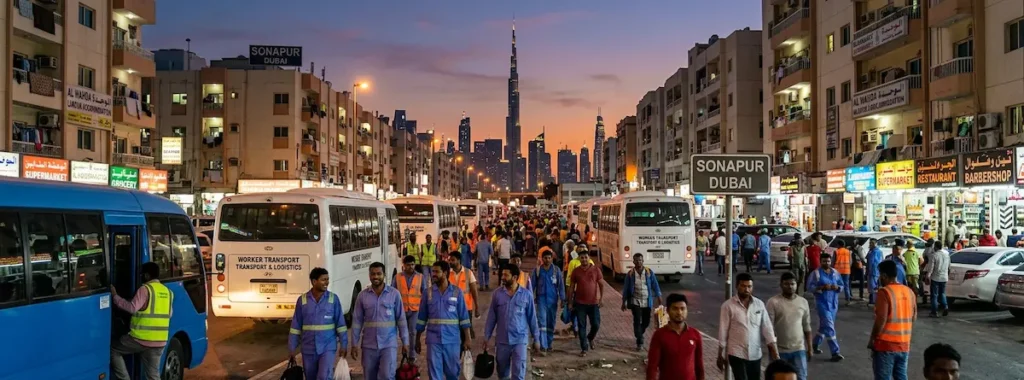
First Abu Dhabi Bank, better known as FAB, serves everyone from long-time Emirati account holders to newly arrived workers on Ratibi salary cards. Because the customer base is so mixed, the bank has built several different ways to see your money, and the right one depends on what you hold in your wallet and what you have in your pocket. This guide walks through all of them in plain language, shows you which one suits your situation, and covers the problems people actually run into.
| Quick answer: The fastest FAB balance check for most people is the FAB mobile app. If you only have a Ratibi salary card, use the official prepaid card portal in any browser. No smartphone or internet? A FAB ATM or a call to 600 525 500 works too. |
What exactly are you checking?
Before picking a method, it helps to know what kind of product you have, because FAB uses different systems for different things. The bank itself is the result of the merger of National Bank of Abu Dhabi and First Gulf Bank, and you can read the background on Wikipedia’s page about First Abu Dhabi Bank if you’re curious. People who still say NBAD are talking about the same bank.
- A regular FAB account (current, savings or salary account with a debit card). You can use the app, online banking, ATMs, phone and WhatsApp.
- A Ratibi prepaid salary card. This is a payroll card, and many people who hold one have no traditional bank account at all. It has its own balance portal, covered below.
- A FAB credit card. The app and phone banking show your outstanding amount and available limit, which is a different number from a bank balance.
One more thing worth knowing. Your available balance is what you can spend right now. Your ledger or current balance may include items that haven’t cleared yet. If the two numbers differ, trust the available one when you’re about to pay for something.
FAB balance check methods at a glance
| Method | Best for | What you need | Internet? |
| FAB mobile app | Everyday account holders | Registered login, biometrics or PIN | Yes |
| Online banking | Laptop users, statements | FAB website login | Yes |
| FAB ATM | Anyone with a card | Card and PIN | No |
| Ratibi portal | Ratibi salary card holders | Card details and Card ID | Yes |
| Payit wallet | Ratibi holders who want a phone view | Payit app, linked card | Yes |
| WhatsApp banking | Quick checks, no full app | Registered mobile number | Yes |
| Phone banking | Older phones, help needed | Registered details for verification | No |
| Branch | Complex or blocked cases | Emirates ID and card | No |
Method 1: The FAB mobile app
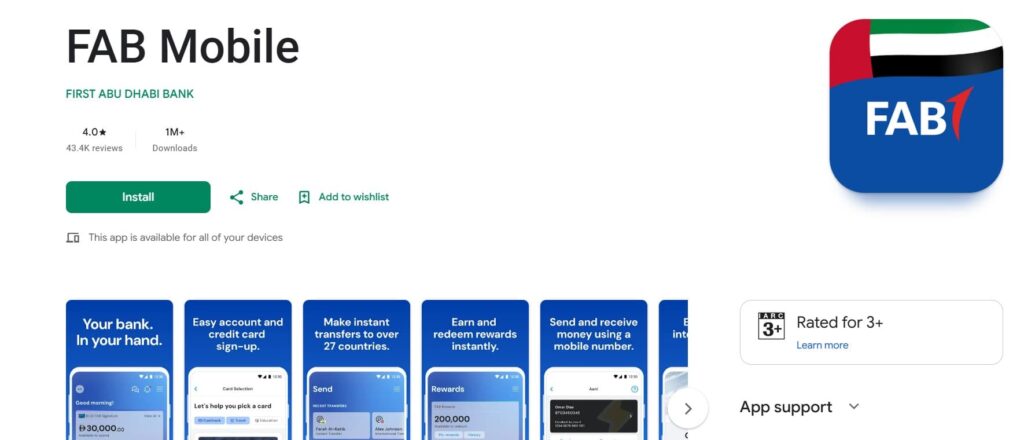
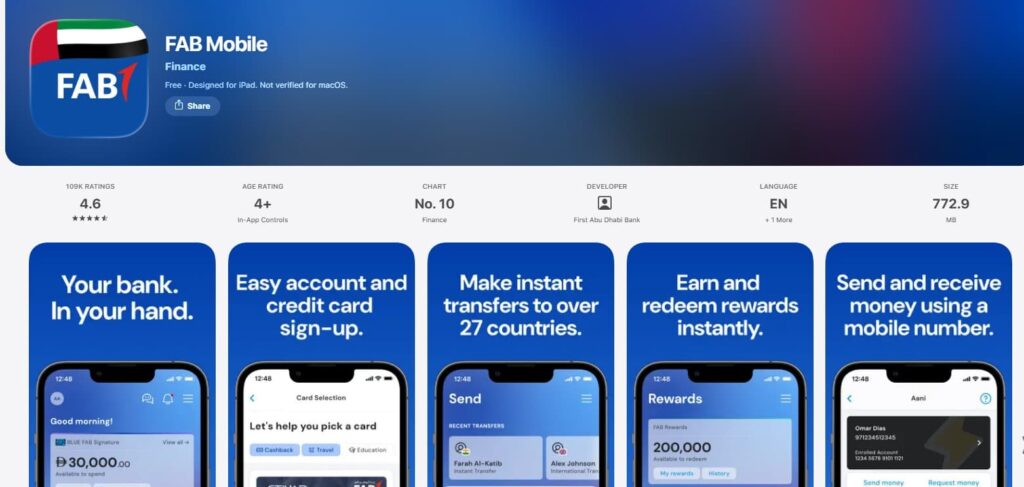
For anyone with an ordinary account, this is the one to learn first. The official FAB app is listed on the App Store, Google Play and AppGallery, so there’s no reason to download it from anywhere else. Once you’ve registered, a balance check is a login away.
- Install the app from your phone’s official store and open it.
- Register with your card or customer details if this is your first time. FAB will verify you with a one-time code sent to your registered mobile number.
- Set up Face ID, fingerprint or a PIN so future logins take a second.
- Open the accounts view. Your available balance sits on the home screen, with recent transactions underneath.
A small tip from experience: turn on push notifications for salary credits. You’ll see the money arrive without opening anything, which makes most manual balance checks unnecessary.
Method 2: FAB online banking
If you prefer a bigger screen, or you need to download a statement for a visa, rent or loan application, go to the official FAB website and sign in to personal internet banking. After login, your accounts and balances are listed on the dashboard. Always type the address yourself or use a saved bookmark. Never reach the login page through a link in a text message.
Method 3: Checking at a FAB ATM
No data, no battery drama, no problem. A FAB ATM balance check works the same way almost everywhere in the UAE.
- Insert or tap your card and choose English or Arabic.
- Enter your PIN while covering the keypad with your other hand.
- Select Balance Inquiry. Some machines word it as Balance Enquiry or Account Balance.
- Choose the account if the machine asks, then read the screen or request a printed slip.
FAB’s own machines are normally the cheapest option. Using another bank’s ATM for a balance check can attract a small fee, so look at the on-screen notice before you confirm.
Method 4: The Ratibi card portal
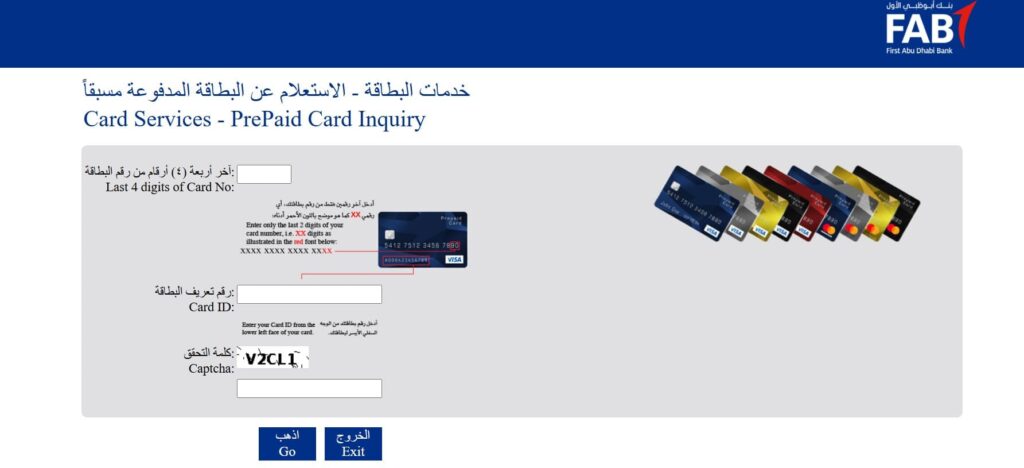
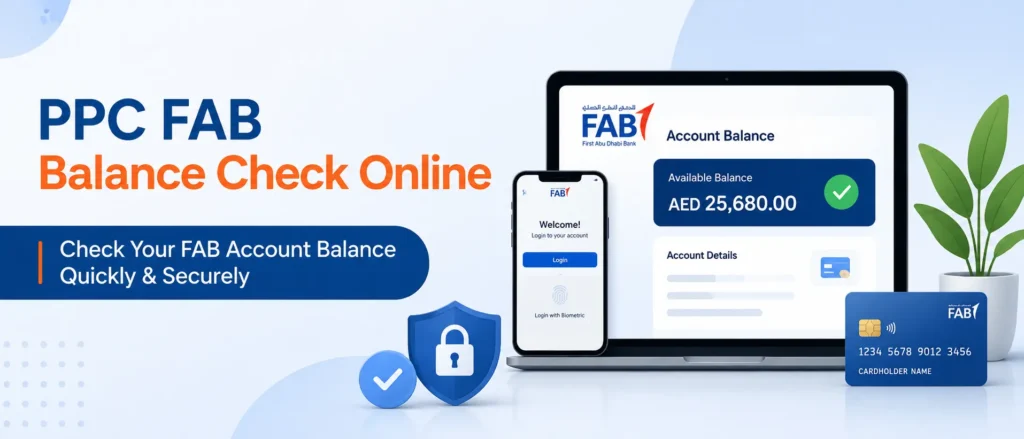
Ratibi cardholders have a simple route that needs no registration. Open the official prepaid card inquiry page at ppc.magnati.com, enter the card digits the page asks for, add the Card ID printed on your card, and press Go. Your balance appears on screen within seconds.
If you want the longer walkthrough for salary cards, including what to do when the portal rejects your details, our guide to the Ratibi card salary check covers it in detail, and the earlier write-up on PPC FAB balance check online is worth a read as well.
Method 5: The Payit wallet
Payit is FAB’s digital wallet. According to FAB’s own Payit page, you can link a Ratibi card to it, see your balance in real time and spend or send money from your phone. The same page lists zero minimum balance and zero account service fees for the wallet. If you’re the sort of person who checks a balance three times a week, having it live on your phone saves a lot of portal visits.
Method 6: WhatsApp banking
FAB also offers a WhatsApp channel for basic requests such as balance enquiries. You message the bank’s verified business number and verify yourself with a one-time code. Two warnings. First, get the number only from FAB’s website or app, because fake WhatsApp numbers claiming to be banks are common. Second, never share your full card number, PIN or OTP in the chat, no matter who is asking.
Method 7: Phone banking and branch visits
From inside the UAE, call FAB on 600 525 500. From abroad, the number is +971 2 681 1511. You’ll be asked to verify your identity before the agent shares anything. A branch visit is the slowest option, but it’s the right choice when your card is blocked, your Emirates ID has changed, or something about your balance simply doesn’t look right. Bring your Emirates ID and your card.
How the methods compare in daily use
We rated each option on speed, effort and how widely it’s available. The numbers below are our practical judgement from how people use these tools, not bank statistics, but they show why the app and the portals win most of the time.
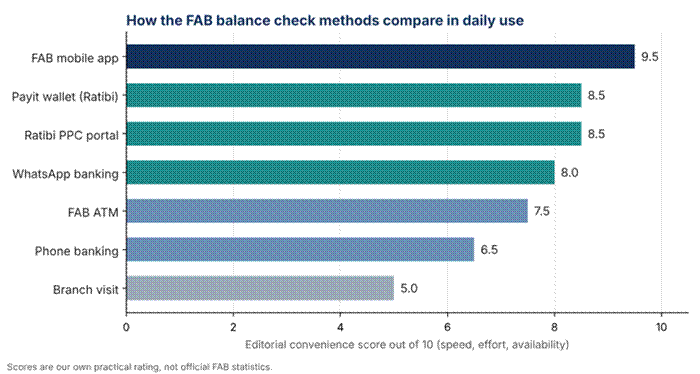
Editorial comparison of FAB balance check methods
Which method should you pick?
Use the chart below as a shortcut. Start with the card you hold, then follow the arrow that matches your situation.
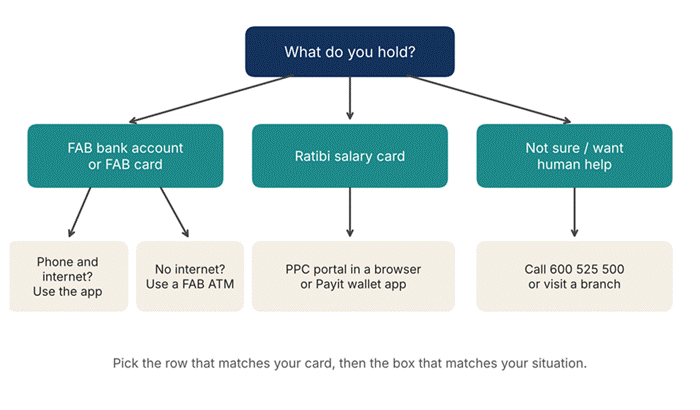
Decision guide for choosing a FAB balance check method
- Construction or hospitality worker on a Ratibi card: the portal or Payit. Both are free to view and work on a basic smartphone.
- Office employee with a salary account: the FAB app, plus salary notifications.
- Visitor or new arrival waiting on an account: read about no minimum balance accounts in the UAE to see which options suit you while FAB sets things up.
- Someone who banks with more than one bank: if part of your money sits with Dubai’s biggest lender, our Emirates NBD balance check guide gives you the same step-by-step help.
Checking your FAB balance from outside the UAE
The app and online banking work from anywhere with internet, which makes them the obvious choice for holidays and home visits. Phone banking is available on the international number above. Roaming data and call charges are set by your mobile provider, not FAB, so a local data plan or Wi-Fi is usually the cheaper route. ATMs overseas can be unpredictable on fees, and a salary prepaid card may behave differently from a debit card abroad, so test your method before you travel rather than at the airport.
Are there charges for a FAB balance check?
Checking through the app, online banking or the Ratibi portal doesn’t carry a charge from the bank. ATM checks at FAB machines are usually free, while other banks’ machines may bill a small amount. SMS and phone costs come from your telecom provider. Because tariffs change, confirm the current schedule on FAB’s website if a particular fee matters to you.
Common problems and quick fixes
| Problem | Likely cause | What to try |
| App won’t open or freezes | Old version or full phone storage | Update the app, restart the phone, then log in again |
| Portal says details are wrong | A mistyped digit or the wrong ID field | Re-enter slowly and use the Card ID printed on the card, not the long card number |
| No OTP arrives | Mobile number not registered, or weak signal | Check signal, then ask FAB to confirm the registered number |
| Card is blocked | Too many wrong PIN attempts | Call 600 525 500 or visit a branch with your Emirates ID |
| Salary shows late | Employer processing or weekend delay | Check your payslip date and ask HR before assuming a bank fault |
| Balance looks too low | Pending card holds or a recent purchase | Compare available and ledger balance, then review recent activity |
Stay safe while you check
Balance checks themselves are harmless, but they’re a favourite hook for scammers. Anyone who sends you a link and asks you to log in to see your balance is probably running a phishing scam. A few habits will keep you out of trouble:
- FAB will never ask for your full PIN, password or OTP by phone, SMS or chat.
- Download apps only from official stores, and log out on shared devices.
- Use portals only if you reached them through the bank’s own site or a bookmark you made yourself.
- If a message feels urgent and strange, hang up and call 600 525 500 yourself.
Habits that make balance checking easier
Most people only look at their balance when they’re worried. A better rhythm is to look twice a month: once a day or two after payday to confirm the credit, and once mid-month before big bills. Keep your registered mobile number current, because nearly every secure method relies on it. And if you use a Ratibi card, save the portal as a bookmark on your phone so you’re not searching for it each time.
Final thoughts
A FAB balance check doesn’t need to be a chore. Pick the app if you hold a regular account, the portal or Payit if you carry a Ratibi card, and keep an ATM or the 600 525 500 line as your backup. Check after payday, keep your phone number updated, and treat any message asking for your PIN or OTP as a red flag. Do that and you’ll always know where your money stands.
Frequently asked questions
How do I do a FAB balance check quickly?
Open the FAB mobile app and log in. The balance shows on the home screen. Ratibi cardholders can use the official prepaid card portal instead.
Can I check my FAB balance without the internet?
Yes. Use a FAB ATM or call 600 525 500. Both work without data on your phone. See the FAB website for the nearest branch or machine.
How do I check my Ratibi salary card balance?
Use the Ratibi portal, the Payit wallet or any FAB ATM. Our Ratibi card salary check guide explains every step, including where to find your Card ID.
Is there a PPC balance inquiry for FAB?
Yes, PPC stands for prepaid card, and the inquiry page is what Ratibi holders use. A fuller explanation is in our post on PPC FAB balance check online.
Can I check my FAB balance from another country?
Yes, through the app, online banking or the international phone line +971 2 681 1511. Your mobile provider may charge for data or calls.
Does FAB charge for checking my balance?
Digital checks and FAB ATMs are normally free of bank charges. Other banks’ ATMs can charge a small fee. Review the current tariff on FAB’s official site.
I don’t have a bank account yet. What are my options?
Look at accounts with low or no minimum balance, which we compare in our guide to no minimum balance accounts in the UAE. Payit is also designed with zero minimum balance, according to FAB.
I have accounts at FAB and Emirates NBD. Is the process the same?
The idea is similar, but each bank has its own app and ATM menus. Our Emirates NBD balance check walkthrough covers the other side.
Is NBAD the same as FAB?
Yes. NBAD merged with First Gulf Bank to form FAB, so old NBAD cards and accounts now run through FAB. More background is on Wikipedia.
Related posts
- Ratibi Card Salary Check UAE
- Emirates NBD Balance Check
- No Minimum Balance Account UAE
- PPC FAB Balance Check Online
Disclaimer
This article is for general information only and is not official FAB communication, financial advice or legal advice. Banking procedures, app menus, phone numbers, fees and portal requirements can change without notice. Always confirm current details on the official First Abu Dhabi Bank website or app, or by calling the bank directly, before acting. Never share your PIN, password or one-time code with anyone. The author and publisher are not affiliated with FAB and accept no liability for losses arising from the use of this information.