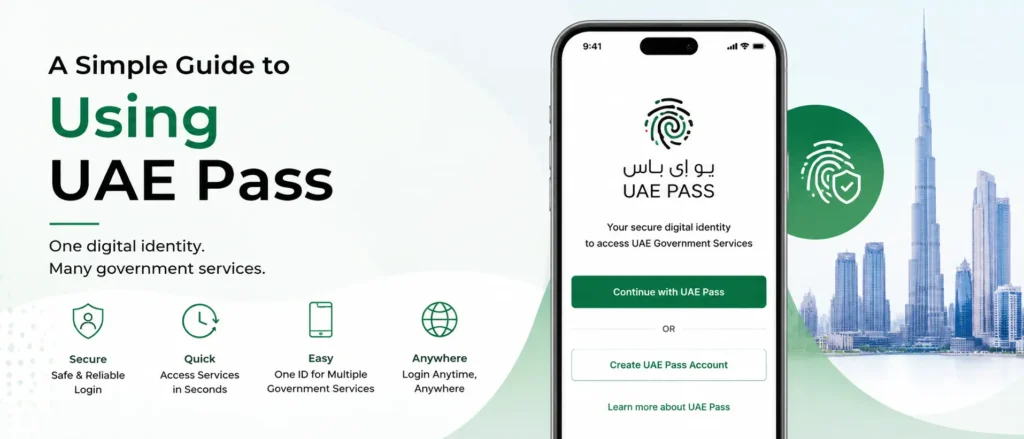
If you have lived in the UAE for more than a few months, you have probably noticed the same pattern repeating itself. Every government department wants its own login. Every bank wants a separate verification step. Every private portal asks you to re-upload the same documents you already submitted somewhere else. UAE Pass exists to remove that repetition. It is the country’s national digital identity, and once it is set up on your phone, it becomes the single credential you use to sign in, verify who you are, and put a legally recognised signature on documents across government and private platforms.
This guide walks through what UAE Pass actually is, how it connects to your Emirates ID without replacing it, who is eligible to register, the exact registration steps, and the kind of everyday tasks it saves you from doing the slow way. It also covers common registration hiccups and answers the questions people tend to ask once they already have the app installed.
What Is UAE Pass, In Plain Terms
UAE Pass is a joint initiative between the Telecommunications and Digital Government Regulatory Authority, Digital Dubai, and the Abu Dhabi Digital Authority. It gives every citizen, resident, and eligible visitor a single verified profile that can be used to log into government e-services, sign into participating bank and telecom platforms, and place a digitally signed, legally binding signature on documents.
Think of it as the difference between carrying a stack of separate keys for every door in a building versus carrying one master key that has already been checked and approved by building security. The verification work happens once, during registration, and every service afterward simply trusts that earlier check instead of asking you to prove yourself all over again.
Before UAE Pass, individual emirates ran their own separate systems. Dubai residents may remember the old Dubai ID or SmartPass, both of which were phased out once UAE Pass became the standard federal login. Today, whether you live in Dubai, Abu Dhabi, Sharjah, or any of the other emirates, the same UAE Pass profile works everywhere, which is precisely the point. One identity, recognised nationwide, instead of a different login for every city or department.
UAE Pass and Emirates ID: What Is the Actual Difference
A common misunderstanding is treating UAE Pass and Emirates ID as the same thing. They are closely linked but serve different purposes, and the table below sets out the practical difference.
| Aspect | Emirates ID | UAE Pass |
| What it is | A physical smart card that proves your identity | A mobile-based digital profile built on top of your Emirates ID |
| Issued by | Federal Authority for Identity, Citizenship, Customs and Ports Security (ICP) | TDRA, Digital Dubai and Abu Dhabi Digital Authority jointly |
| Where you use it | Airports, in-person checks, physical verification | Government websites, banking apps, e-signatures, private portals |
| Cost | Application and renewal fees apply | Registration and everyday use are free |
| Format | Physical card with a chip | App-based profile with facial verification and a PIN |
In short, your Emirates ID is the physical proof of who you are. UAE Pass is the digital layer built using that same identity data, letting you prove who you are online without carrying the card around or visiting an office in person.
Who Can Register for UAE Pass
Registration is open to three broad groups, and the process differs slightly for each one.
- UAE citizens and residents holding a valid Emirates ID: this is the most straightforward route and covers the majority of people who sign up.
- GCC nationals: citizens of other Gulf Cooperation Council countries can register using their national ID, without needing a UAE-issued Emirates ID.
- Visitors and tourists: those on a valid UAE visit visa can register using their passport details instead of an Emirates ID, which lets them sign business contracts, open a tourist bank account, or interact with certain government services during their stay.
Step-by-Step: How to Register for UAE Pass
Registration through the mobile app is the route most people use, and it rarely takes more than five minutes once you have your details ready.
1. Download the official UAE Pass app from the Apple App Store or Google Play Store. Search only for “UAE Pass” and confirm it is published by the official government developer before installing anything.
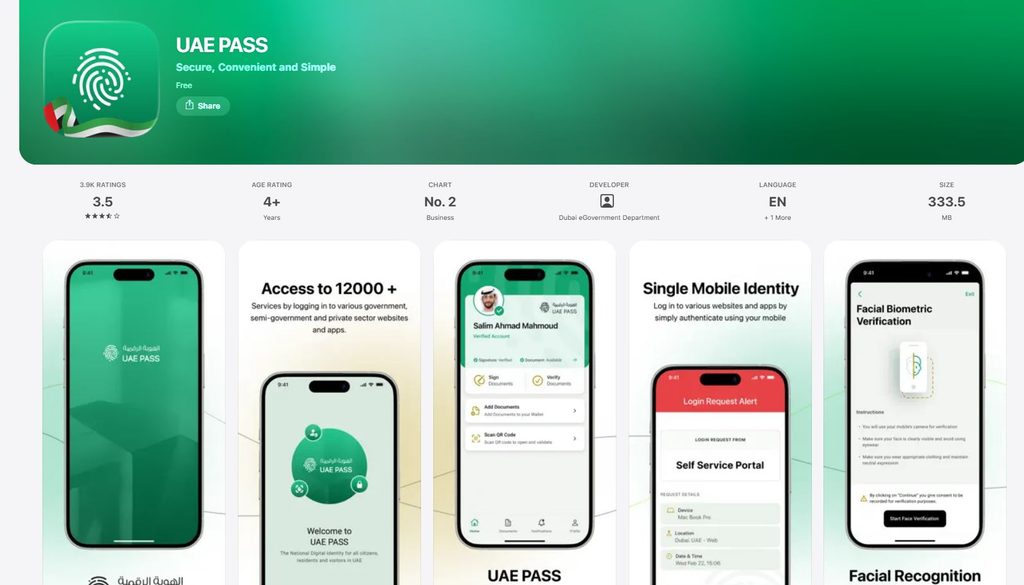
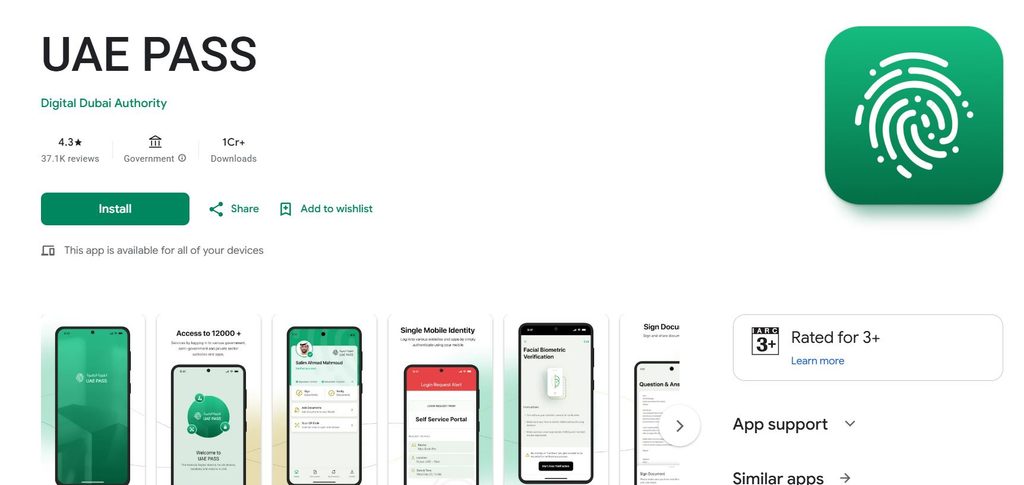
2. Open the app and select “Register.” Choose the category that matches your status: resident or citizen, GCC national, or visitor.
3. Enter your Emirates ID number if you are a resident or citizen, or your passport number if you are registering as a visitor on a visit visa.
4. Enter your active UAE mobile number and confirm it through a one-time password sent by SMS.
5. Complete the facial verification step. The app compares a live scan of your face against the photo on record with the identity authority, so make sure you are in good lighting and remove sunglasses or anything covering your face.
6. Set a security PIN. This PIN, alongside your face, is what confirms your identity every time you log into a service using UAE Pass.
7. Review and accept the terms and conditions, and your profile is active immediately. No waiting period, no approval email, and no fee at any stage.
If the app’s facial verification does not work for any reason, there are two backup routes. The first is the web self-service portal, which walks through a similar set of steps from a browser. The second is a physical UAE Pass kiosk, typically found at government service centres, where staff can complete the verification manually using your Emirates ID.
Comparing the Registration Methods
| Method | Best For | Typical Time | What You Need |
| Mobile app | Most residents, citizens and GCC nationals | Under 5 minutes | Emirates ID or GCC ID, active mobile number |
| Web self-service portal | Those without a phone camera suited to facial scanning | 5 to 10 minutes | Emirates ID, active mobile number, a browser |
| Assisted kiosk registration | Anyone whose automatic verification repeatedly fails | 15 to 20 minutes on-site | Physical Emirates ID card |
What You Can Actually Do With UAE Pass
Once registered, UAE Pass stops being a novelty app and starts functioning as the default login for a wide range of daily tasks. Government e-services are the obvious use case: renewing a driving licence, paying traffic fines, applying for a business licence, or checking visa status all run through UAE Pass authentication rather than a separate username and password for each department.
It extends well beyond government portals too. A growing number of banks accept UAE Pass as part of their login or onboarding flow, which is worth knowing if you are still weighing up which bank suits you best as an expat in Dubai, since several of the larger banks now let you skip a chunk of the paperwork by verifying identity through UAE Pass first. If you already bank with Emirates NBD and just want a fast way to check your balance without logging into the full app, UAE Pass sign-in is one of the quicker entry points many residents overlook.
Local government portals also lean on UAE Pass for niche services that would otherwise require an office visit. As one example, Abu Dhabi’s TAMM portal requires a UAE Pass login before you can apply for something as specific as a recreational fishing licence, upload the required documents, and pay online, with the licence issued electronically the same day.
Digital Signatures: The Feature Most People Underuse
Beyond logging in, UAE Pass lets you place a digital signature on documents that carries the same legal weight as a handwritten one. Tenancy contracts, employment paperwork, business registration forms, and legal declarations can all be signed this way, cutting out printing, scanning, or a trip to a notary in many routine cases.
Business owners get particular value from this. Setting up a company, applying for licences, or managing shipment paperwork through platforms like Dubai Trade’s container tracking and enquiry system often ties back to the same identity verification layer, so a properly configured UAE Pass account saves repeated authentication across several linked government and semi-government systems rather than just one.
How UAE Pass Keeps Your Identity Secure
Security is the whole reason UAE Pass exists rather than a simple username-and-password system. According to the Telecommunications and Digital Government Regulatory Authority, the platform runs on blockchain technology to protect identity data, layered with facial recognition and a personal PIN that only you know.
This layered approach means a stolen phone alone is not enough to compromise your identity, since both the biometric check and the PIN need to match. For readers who want more background on how the underlying Emirates national identity card system works and how it evolved, Wikipedia’s overview covers the card’s history and the authority responsible for issuing it.
Common Registration Problems and How to Fix Them
- Facial scan keeps failing: move to a well-lit area, remove glasses or a mask, and hold the phone at eye level rather than tilted upward or downward.
- OTP never arrives: confirm the mobile number you entered exactly matches the one registered with the identity authority, since a mismatch silently blocks delivery.
- Emirates ID not recognised: this usually happens right after a card renewal, when the identity database has not yet fully synced. Waiting a day or two before retrying usually resolves it.
- App logs you out unexpectedly: update to the latest version from the app store, since older builds sometimes lose their session after backend updates.
- Visitor registration rejected: double-check the visit visa is still valid and that the passport number was entered without spaces or extra characters.
Is UAE Pass Free? A Quick Fee Breakdown
| Action | Cost |
| Initial registration | Free |
| Facial verification | Free |
| Everyday login and authentication | Free |
| Digital signature usage on government platforms | Free |
| Assisted kiosk registration | Free |
There is no subscription, no annual renewal charge, and no cost tied to using the app for authentication. The only fees that might apply are unrelated to UAE Pass itself, such as processing charges for a specific government transaction you complete after logging in.
Why It Matters for Residents and Business Owners
For everyday residents, the appeal is straightforward: fewer passwords, faster verification at banks, and quicker turnaround on government paperwork. For business owners, the impact is bigger. Licensing renewals, staff visa processing, and contract signing all move faster once the company’s authorised signatories are properly set up on UAE Pass.
Freelancers and small business owners tend to notice the difference most during renewal season, when a single company might otherwise need separate logins for a trade licence portal, an immigration file, a tenancy contract for office space, and a bank account mandate. Once every authorised signatory on the company’s file has an active UAE Pass profile, most of that paperwork can be reviewed and signed from a phone in one sitting rather than spread across several office visits. HR teams also lean on it heavily, since onboarding a new employee typically involves labour contracts, medical insurance forms, and visa sponsorship documents that all accept a UAE Pass signature instead of a wet-ink one.
New residents settling into the country often set up several linked accounts within the same week, banking, a mobile line, and government registration. If you are still comparing Etisalat’s prepaid and postpaid data plans while getting everything else in order, it is worth handling UAE Pass registration early, since a working mobile number and a synced Emirates ID are prerequisites for almost every other digital step that follows.
Keeping Your UAE Pass Account Up to Date
A UAE Pass profile is only useful if the details behind it stay current. Update your registered mobile number the moment it changes, since OTP verification depends entirely on it. When you renew your Emirates ID, give the system a day or two to sync the new card details before attempting a fresh login if you run into an error. Keeping the app itself updated also avoids the small compatibility issues that tend to appear after backend changes on the government side.
Disclaimer
This article is written for general informational purposes only and reflects publicly available information about UAE Pass at the time of writing. It is not legal, financial, or official government advice. UAE Pass features, registration steps, supported document types, and linked services are managed by the Telecommunications and Digital Government Regulatory Authority, Digital Dubai, and the Abu Dhabi Digital Authority, and these can change without notice. Always confirm the latest requirements directly through the official UAE Pass app or the official UAE government portal before relying on any step described here.
Frequently Asked Questions
Is UAE Pass free to register and use?
Yes. Registration, facial verification, everyday login, and digital signatures on government platforms carry no fee. Only unrelated government service fees, such as a licence renewal charge, apply after you log in.
Can tourists get a UAE Pass?
Yes, visitors on a valid visit visa can register using their passport number instead of an Emirates ID, which allows them to sign contracts, open a tourist bank account, or access select services during their stay.
What is the real difference between UAE Pass and Emirates ID?
Your Emirates ID is the physical card proving identity; UAE Pass is the digital profile built from that same data for online use. See the Emirates national identity card entry on Wikipedia for background on how the physical card system itself developed.
What happens if I lose access to my registered mobile number?
You will need to update your number through the identity authority first, since OTP verification is tied to whichever number is on file. Visiting a service centre or using the assisted kiosk route is the fastest fix if the app alone cannot verify the change.
Can UAE Pass be used for banking?
Several banks accept UAE Pass login or verification as part of onboarding and day-to-day access. If you have not settled on a bank yet, this comparison of banks in Dubai for expats is a useful starting point before you register.
Is a UAE Pass digital signature legally binding?
Yes. Documents signed through UAE Pass carry the same legal standing as a handwritten signature across the government platforms and private partners that support it, which is why it is increasingly used for tenancy contracts and business paperwork.
What should I do if facial verification keeps failing during registration?
Retry in better lighting, remove glasses or anything covering your face, and hold the phone level with your eyes. If it still fails after a few attempts, the web self-service portal or an assisted kiosk visit will resolve it.
Do I need an internet connection to use UAE Pass?
Yes. Both registration and everyday login require an active data or WiFi connection, since the app communicates with government servers in real time to verify your identity for each session.
Related Posts
Best Banks in Dubai for Expats | Complete UAE Banking Guide
Emirates NBD Balance Check: All Methods Explained for UAE Residents
Etisalat UAE Data Plans: Daily, Weekly, Monthly and Unlimited Deals